Palletizing configuration, new pallet pattern in three minutes on your machine
Pallet Designer is a palletizing configurator for integrators that cuts new (de)palletizing layout preparation from days to minutes. You design a layer, and the program works out the complete robot move sequence by itself: which products the gripper picks together, where it places them and in what order. You upload the ready data to the machine — no simulation, no reprogramming, no testing from scratch
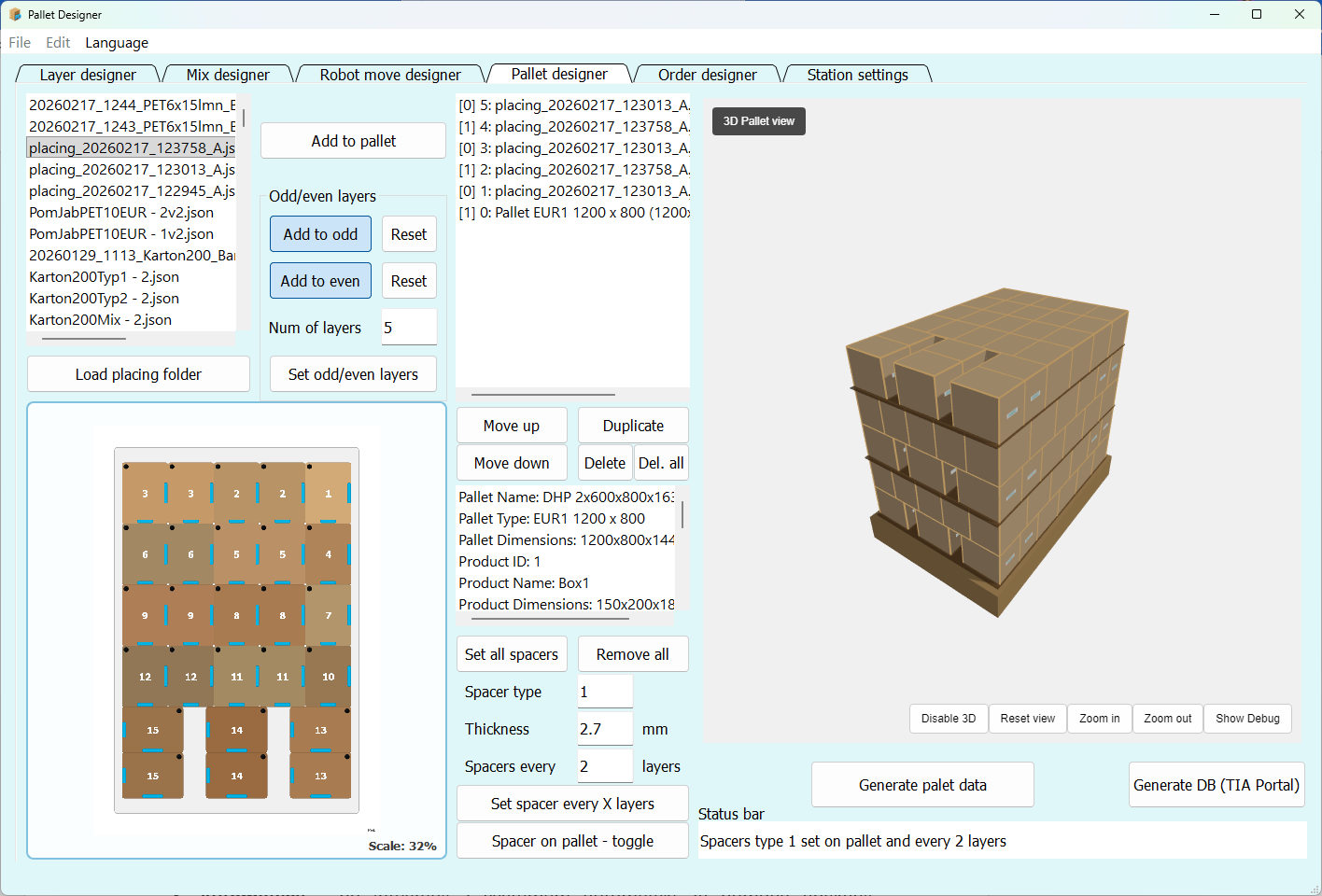
See Pallet Designer in action
A short walkthrough showing the full flow: layer design, mixed-product layouts, full pallet build, data generation, plus running and executing the layout on the machine
One tool, many users
Pallet Designer supports the project at every stage — from the first sales conversation, through design and programming, all the way to daily handling of new layouts on the production floor
Sales team
Fast analysis of the customer's layouts and throughput estimates — even during a live meeting
Mechanical engineers
Validation of pallet layout, product dimensions and gripper operation without manually drawing every variant
Automation engineers
Less programming, no recipe preparation, lower risk of errors, shorter commissioning time
Robotics engineers
Ready-to-use data for robot simulation and operation, without having to rebuild every layout from scratch
Production plant
Self-service configuration of new palletizing layouts — a competitive edge for the integrator's offering
From setup to a finished pallet
First you set the station's technological parameters. Then you build pallet layouts that the application validates and turns into data ready for the machine
Machine parameter setup
You do this once for a given station. From then on, Pallet Designer knows the machine's constraints and which operations are possible
Pallet layer design
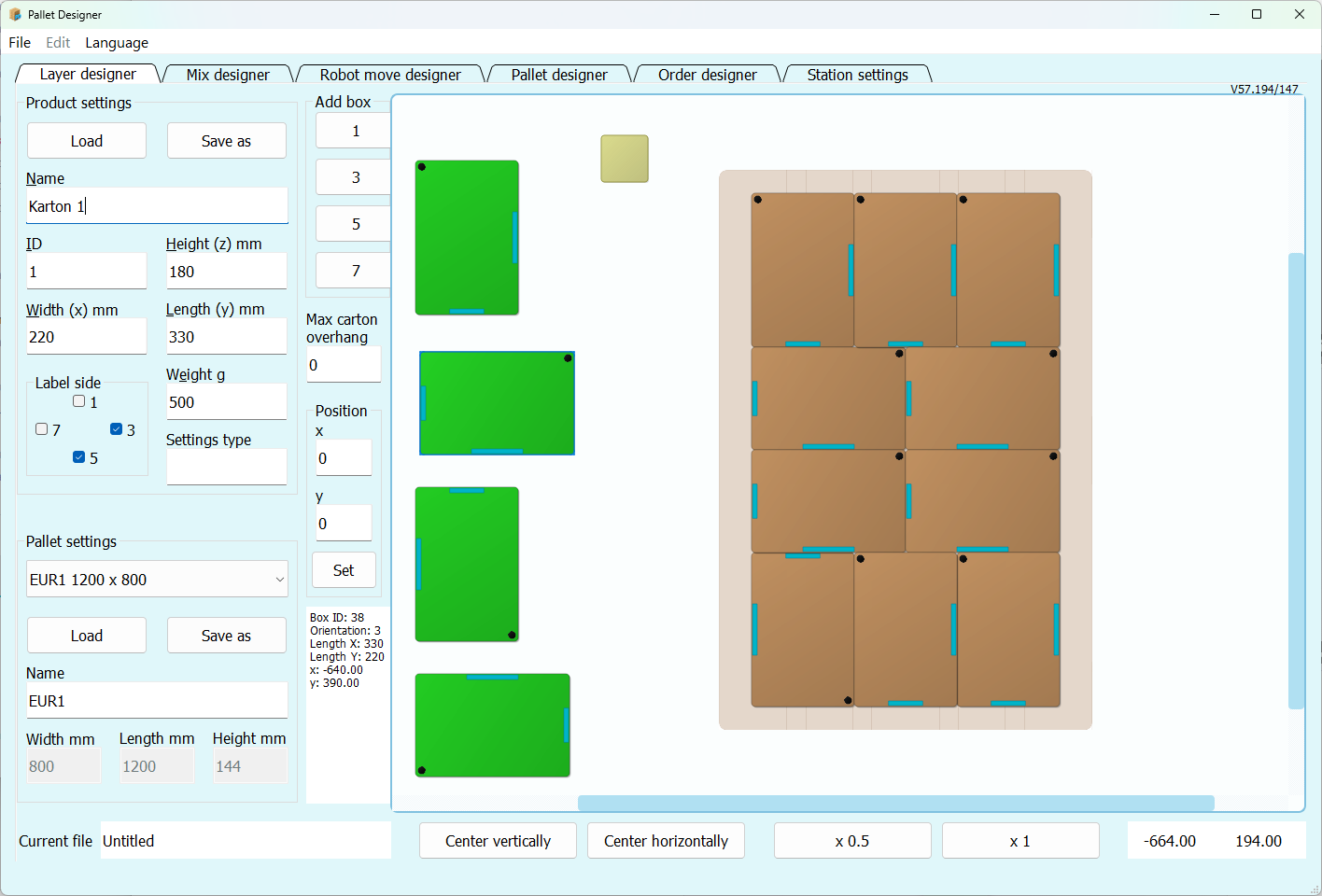
Layer pattern configurator — you arrange products in a clean graphical interface, no CAD, no spreadsheets, no hand-calculated positions. Auto fill instantly proposes layouts with the maximum number of products. Optionally, you can mix different product variants (e.g. flavours) in a single layer
Automatic robot move planning
The program splits the layer into placements by itself: it chooses the products gripped together, a collision-free gripper position, the approach direction and the placing order, keeping clear of station obstacles. For special cases you take full control in manual mode
Building the full pallet
Pallet configurator — you assemble a complete pallet from prepared layers, with support for interlayer sheets and alternating layers, parameter validation, a 3D view and an operator preview
Generating data for the machine
You export universal files or data tailored directly to the machine's control system — most often PLC and HMI. The format can be adapted to your system
Less manual work. Faster commissioning
New products, packaging changes and additional pallet layouts no longer have to mean days of analysis, rework and programming. Pallet Designer brings this process into a single tool
Every new layout ties up engineers for too long
A new product or packaging change usually means manual analysis, layout design, program modifications and a site visit to the customer. That blocks people, raises deployment costs and stretches commissioning
Manual design increases the risk of errors
Layouts prepared by hand and entered into the controller carry the risk of errors that only surface during commissioning — when they cost the most
Production needs flexibility, not another service ticket
Production plants want to react quickly to orders, new variants and packaging changes. Without the right tool, every layout change goes back to the integrator
No standardisation between robot and PLC
A lack of standardisation means every solution has to be prepared from scratch, and the code and machine become harder to maintain
More than pallet layout. The full data flow
Pallet Designer can do more than just layer design: layout optimization, mixed-product palletizing, data export for robot simulation, PDF documentation, throughput estimates, custom output formats and much more on customer request
Layer pattern optimization
Auto fill proposes up to six layouts with the maximum number of products and marks those where no more can fit. The program also builds the alternating A/B layer that interlocks the layers of the pallet
Mixed-product palletizing
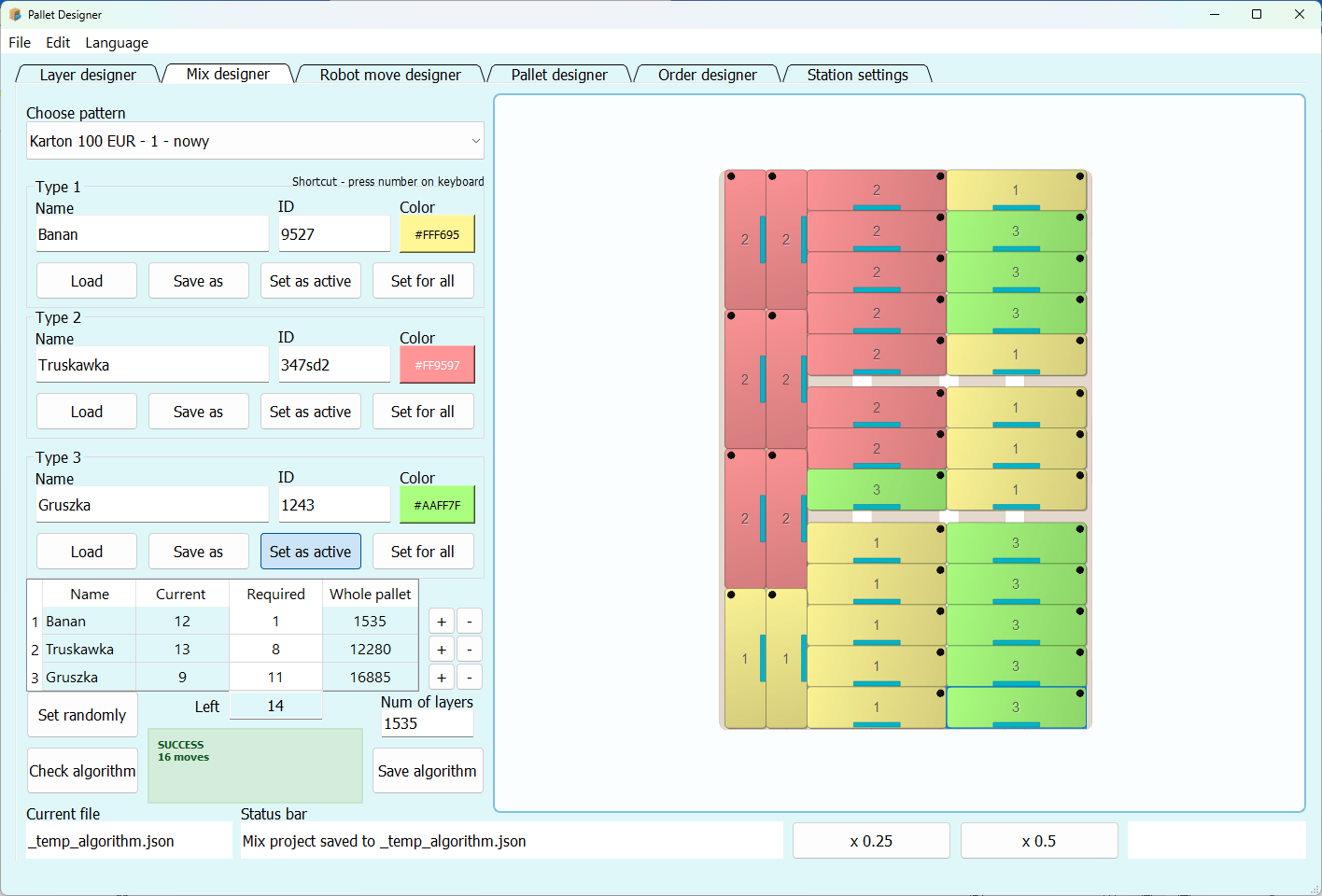
You create layers composed of different product types. Products can differ in variant — for example flavour or destination — while keeping the same packaging dimensions
CSV export for robot simulation
CSV files with pallet parameters and robot motions are generated in seconds. You can drop them straight into the simulator to verify feasibility and throughput before commissioning
Automated PDF documentation
The program generates a report describing the pallet, its layers, technical parameters and visualizations. Ready-to-use material for project documentation, archives or sending to the customer
PLC/HMI integration
Ready-to-use program code, operator panel screens and HMI scripts — the operator gets a visual layer preview and correction handling without any additional programming work — adaptable to different systems
Proprietary software — full flexibility
The application and export formats can be tailored to a specific station, an integrator's standard or end-customer requirements — from additional fields in the files to new tabs or features in the program

Frequently asked questions
Below you'll find answers to the most important questions about palletizing configuration, integration with control systems and deploying Pallet Designer
Which control system does Pallet Designer work with?
Pallet Designer generates data in formats that can be adapted to a specific station — including CSV, JSON and custom data structures. This makes it possible to integrate the application with a wide range of control systems
For Siemens PLC/HMI, ready-to-use function blocks, screens and HMI scripts are available. On the PLC side they handle the (de)palletizing process, and on the HMI side the machine operator gets a visual preview of the current layer plus correction handling — all within a ready system, without additional programming work for each layout
Can Pallet Designer be connected to robots?
Yes. The application can generate the data required for simulation in robot environments (e.g. RoboGuide). Real-device motion can be handled either through the supervisory control system or directly, after appropriate preparation of the robot program
How long does Pallet Designer deployment take?
The application itself can be ready to use very quickly — learning the software and configuring the parameters of a specific machine usually takes one day
Full integration with the control system depends on the station, the controllers used and customer requirements. Typically, basic integration of the application with the existing environment together with training takes about one week — every subsequent project builds on the ready modules
Can the exported data and program features be customised?
Yes. This is one of the strengths of the solution. Pallet Designer is proprietary software, so it can be developed to match a specific need
The application comes with a ready methodology for the process and data exchange between systems. The integrator can adopt it fully, partially, or stick with their own approach — together with their engineering team we work towards the solution that best fits the current needs
Is the configurator suitable for the end customer?
Yes. Pallet Designer can run as a self-service palletizing configurator for the production plant. An operator or process engineer can prepare a new layout without involving the integrator every time. Machine parameters are prepared by the integrator during the project — the end customer cannot change them, which means they can only generate feasible and safe layouts
For the integrator this is a strong selling point: the customer gets practical, accessible flexibility, without the cost of commissioning additional layouts
Even if the project scope does not include an end-customer configurator, Pallet Designer still supports the team during project preparation — and after deployment it makes it possible to add a new layout in a few minutes, with the option of sending the files to the customer
After deployment, can we still work the “old way”?
Yes. Pallet Designer generates a data set that automatically lands in the appropriate memory blocks, while the automation or robotics engineer can still review that data and fill it in manually or through their own tools. The idea behind the system is to streamline, not to restrict
Is the program available in other languages?
Yes. The interface, the user manual and the PDF documentation are multilingual, and further language versions are prepared on request
Can we see the program before deciding?
Yes. We typically start with a live online demo of the application. It is possible to build a layout proposed by the customer. That way you can immediately see how the application works in practice and where it can save your team time
You can also watch the video or download the brochure and pass it to your team
A demo version for your team to test on its own is also available on request
Show me your pallet layout. We'll build it in Pallet Designer
20 minutes, an online demo and a clear answer on whether Pallet Designer fits your machine, your process and the way you work. No commitment