Your engineering team works faster and with more confidence
-
3–12 h Mechanical design and feasibility analysis
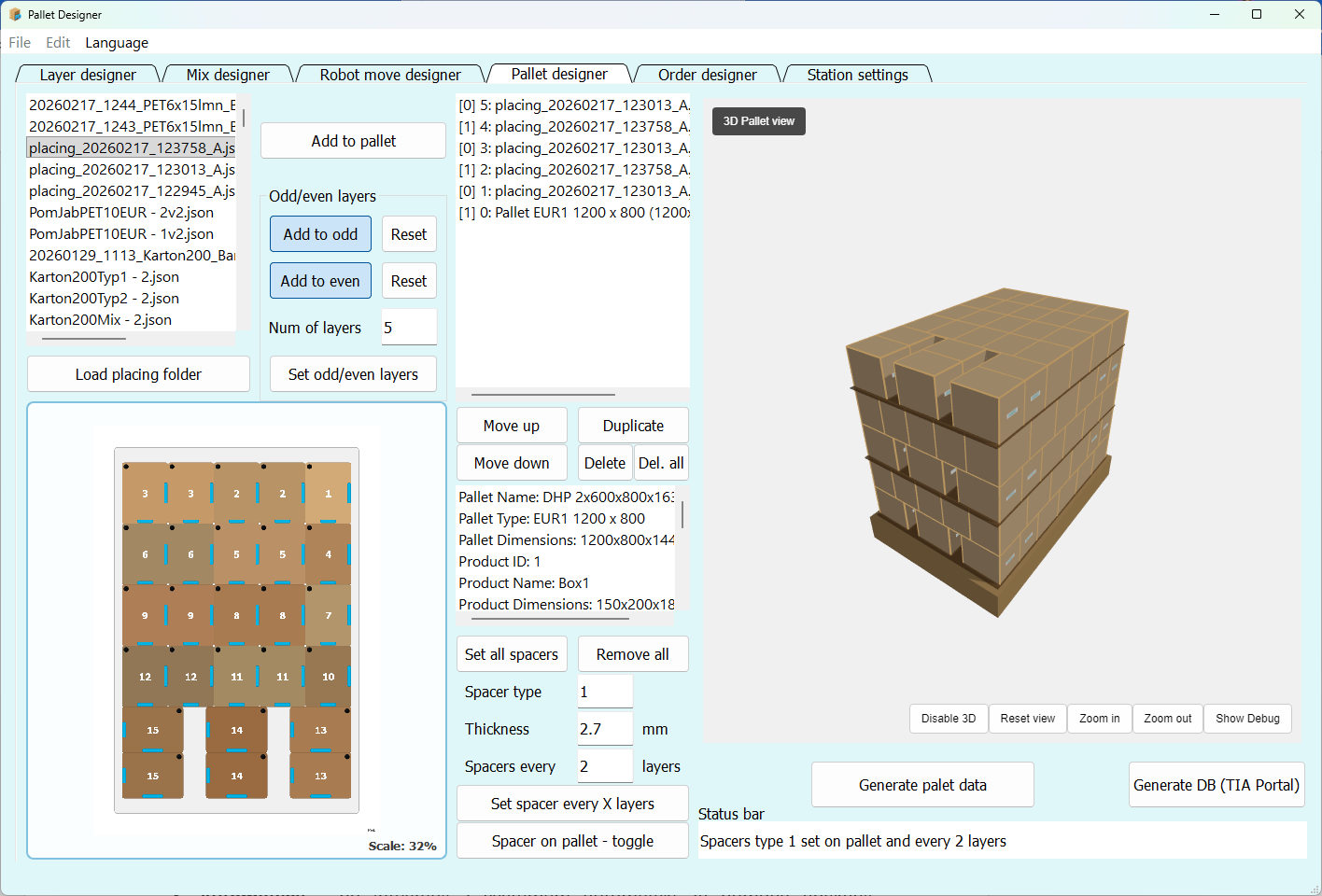
The designer picks the gripper and checks layout feasibility on a live preview. The app shows immediately whether the chosen gripper size and type allows the planned drop-offs, whether there are collisions, and how many items can be picked at once. Decisions that used to require drawing variants, analysis and manual recalculation now take minutes
-
3–16 h PLC and HMI programming
No more handwriting recipes for every new layout. You load the data generated by the app and the machine immediately knows what to do. Once integrated into your PLC/HMI/robot setup, it becomes a ready building block for every following project. The operator gets a visual preview of the layer from images generated by the app — no extra programmer effort
-
5–24 h Robot programming and preparation
The robotics engineer gets ready-made data: product, layer and drop-off parameters and pick data in a consistent format — used in production and easily loaded into a simulator without manually generating layouts. After teaching points and programming logic and gripper, the rest of the pick, place and interlayer data is generated by the app. A consistent data-exchange methodology and validation of moves and machine settings inside the app let you trust the algorithm and focus on next steps instead of analysing each layout separately. You can pick drop-offs manually — if you know reach will be tight, choose a different gripper orientation or define a virtual zone the algorithm avoids. You stay in full control — Pallet Designer provides data, not decisions
-
8–32 h Testing and on-site commissioning
The strongest savings line. After deployment you physically test only the first layout — robot points, gripper, positions relative to the product. From that moment every next layout generated in the app simply works — because everything is produced in the same system, on the same station parameters. No building test scenarios, no waiting for product samples, no manually arranging products or layers just to test a case
-
days → min Modifications and new layouts after go-live
Customer asks for a tweak or a new variant? You open the layout in the app, create or move what's needed, generate, send or upload — three minutes of work. Every change is visible in the graphic interface, so there's no “I tweaked it the wrong way” risk. Based on machine parameters the program will only generate valid layer and pallet data. No manual position recalculation, no digging through recipe files. Each new variant can be safely created in minutes and sold at a higher margin with no need for an on-site visit